
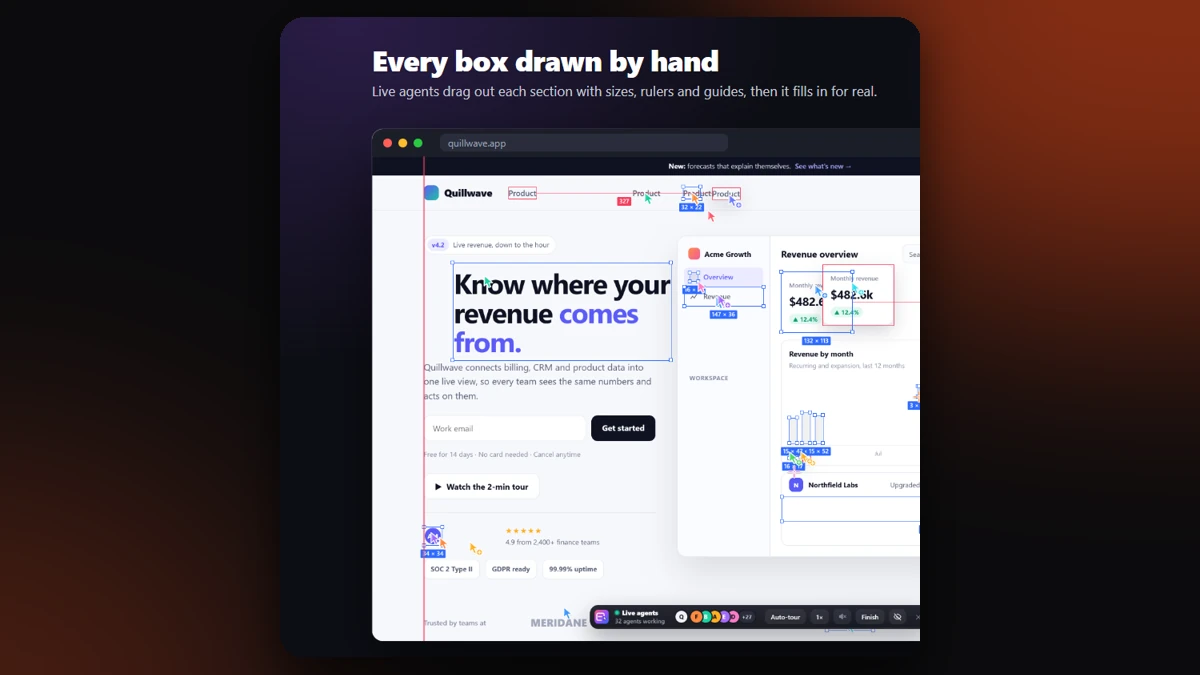
Showing how a web page is put together usually means a slow screen recording or a long explanation. Swarmline takes a different route. With one click, a Chrome extension turns any website into a blank canvas, then a swarm of cursors rebuilds it live in front of you, the way designers work in a design tool. This guide explains what it does, the controls that make it useful for recording and what to know before you try it.
What Swarmline is
Swarmline is a Chrome extension in the Developer Tools category of the Chrome Web Store. When you start it on a tab, the page is cleared and rebuilt on screen by animated cursors, so you watch the layout appear section by section on the real site.
Everything is drawn in place, using the site’s own colours and fonts. When the build finishes, the page is fully live again, with its animations, video and links all working, and the swarm follows your own mouse pointer until you exit.
How the swarm builds a page
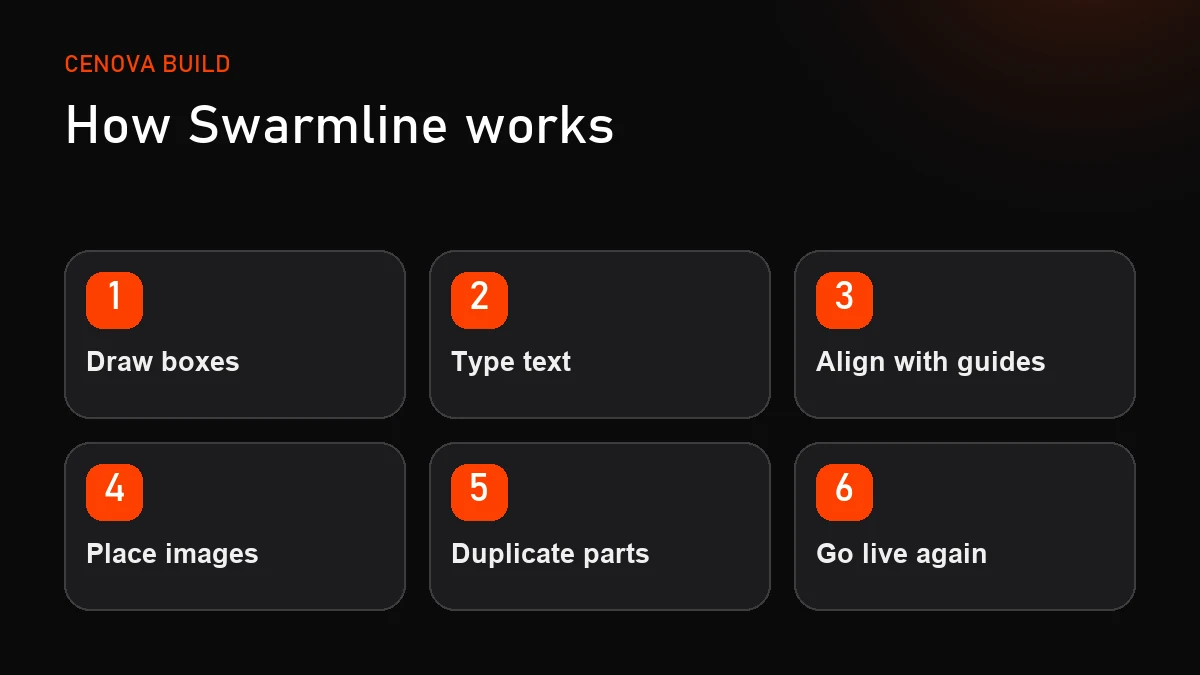
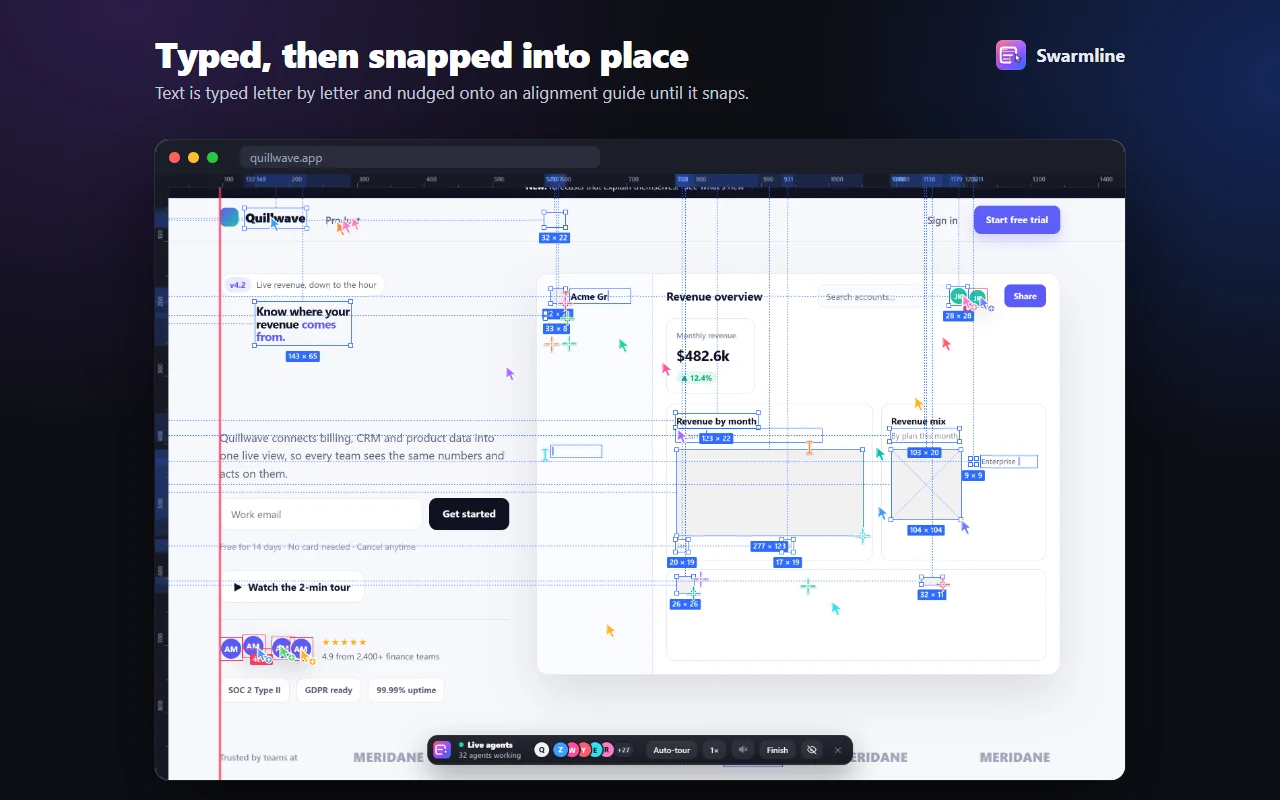
The rebuild imitates real design work. Boxes, cards and sections are dragged out with a crosshair, with a live size readout and selection handles, and then fill in. Text boxes are dragged out and typed letter by letter, including large headlines, and some headings start small and grow into size.
- Rulers slide in and red alignment guides are pulled out, then text is nudged until it snaps into place
- Dividers are drawn with a pen tool, click by click
- Image frames appear as placeholders with a picture icon, then the picture scans into place
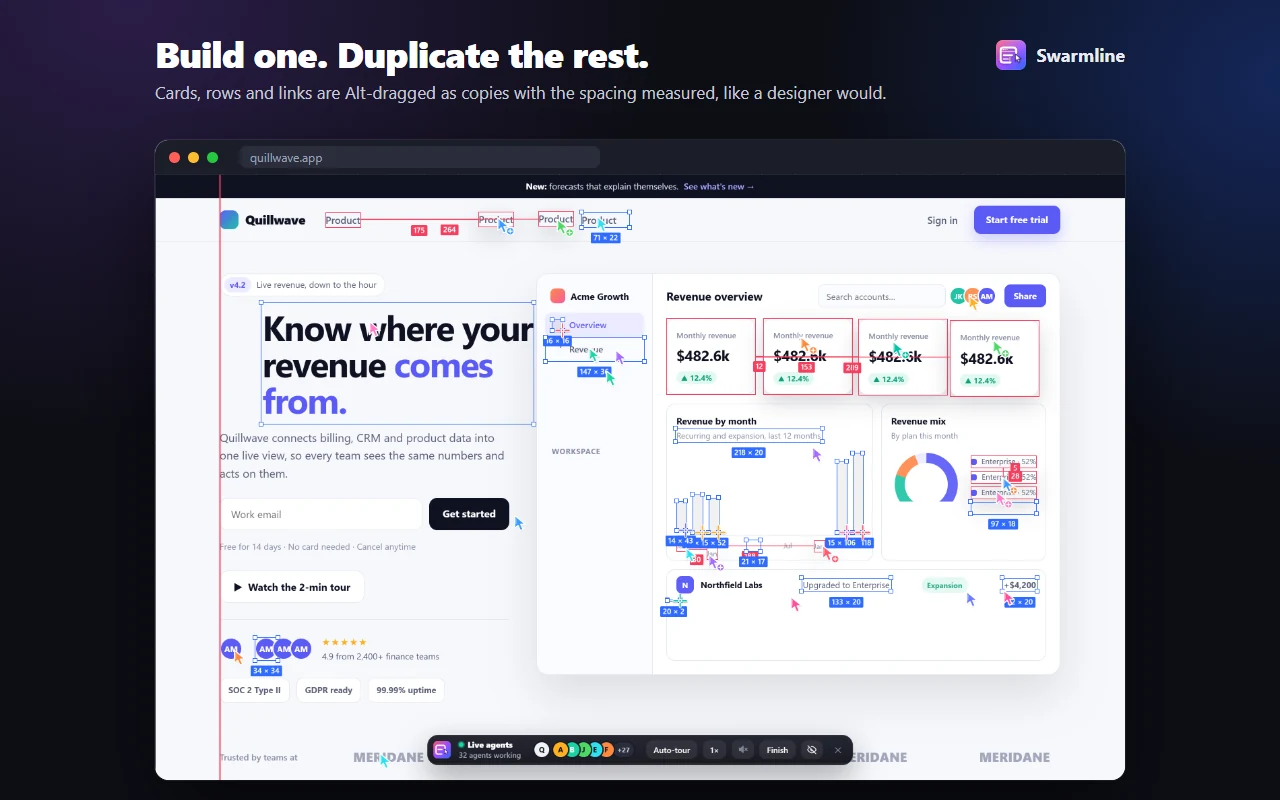
- Repeated parts such as cards, list rows, nav links and icons are built once, then duplicated with measured spacing and each copy is edited

Controls made for recording
Swarmline is designed for people who want to capture the result. Auto-tour is on from the start, so the page scrolls in one smooth glide as it is built, slowing for each section and speeding up when it is done. You can turn it off if you prefer to scroll yourself.
The toolbar shows the crew at work: the site’s icon, the avatars of the agents and how many there are, rising and falling with each section. You can choose 1×, 2× or 3× speed, or press Finish to show the whole page at once. A soft, generated soundtrack plays along and can be switched off.
Keyboard shortcuts
A few keys cover most of what you need while filming.
- Alt+Shift+L: start or stop Swarmline
- T: turn auto-tour on or off
- F: finish and show the whole page at once
- M: sound on or off
- H: hide or show the controls for a clean take
- Esc: exit and return the page to normal
Watch it in action
These two Instagram reels show Swarmline at work. Open them on Instagram if the embedded player does not load in your browser.
Watch reel 1 on Instagram · Watch reel 2 on Instagram

What it is good for
The extension suits anyone who needs to explain or show a page. Typical uses include screen recordings, reels and launch videos of your own website, showing clients how a page is put together, design and front-end demos and walkthroughs, and teaching layout and visual hierarchy.
Because it works on the real page, the result looks like your actual site rather than a mock-up, which makes it convincing for portfolios and case studies.
Privacy
According to its Chrome Web Store listing, Swarmline runs only on the tab you start it on, sends nothing anywhere and stores nothing. When you exit, the page is exactly as it was. The developer also states that user data is not collected or used.
As with any extension, review the permissions and the privacy information on the store page before you install it.
Tips for a clean recording
Start from a finished, polished page, because the animation rebuilds what is already there. Use a clean browser window with unrelated tabs and bookmarks hidden, and press H to hide the controls before you record.
Choose a speed that matches your video length: 1× for a calm walkthrough, 2× or 3× for a short reel. Record a short test first so you know the framing and the pace feel right.
Credits and availability
The listing credits its inspiration to Swarm by Joel Califa and Swarm Rebuild by Dhvanil Patel. At the time of writing the extension is at version 1.0.1 and is free to add from the Chrome Web Store. Features and availability can change, so check the store page for the latest information.
If you want a website that is worth showing off, our team can design and build one for you.
You can try it or read more at Swarmline on the Chrome Web Store.
Planning a new site or a refresh? Our website design and development team can design, build and optimise it.
Related reading: WebMockup: A Free Website Mockup and Responsive Preview Tool · Make Small Website Improvements with a Clear Goal
Frequently asked questions
What does Swarmline do?
It clears any web page and then rebuilds it live with a swarm of animated cursors, drawing boxes, typing text, duplicating parts and finishing with the fully live page.
Does Swarmline change my website?
It runs only on the tab where you start it, and when you exit the page is exactly as it was. It does not edit your site files.
Is Swarmline free?
It is listed on the Chrome Web Store as an extension you can add to Chrome. Check the store page for current details.
Can I use it to record videos or reels?
Yes. It has auto-tour, speed choices of 1×, 2× and 3×, a finish button and a hide-controls key so recordings stay clean.
What are the main keyboard shortcuts?
Alt+Shift+L starts or stops it, T toggles auto-tour, F finishes, M toggles sound, H hides or shows controls and Esc exits.
