
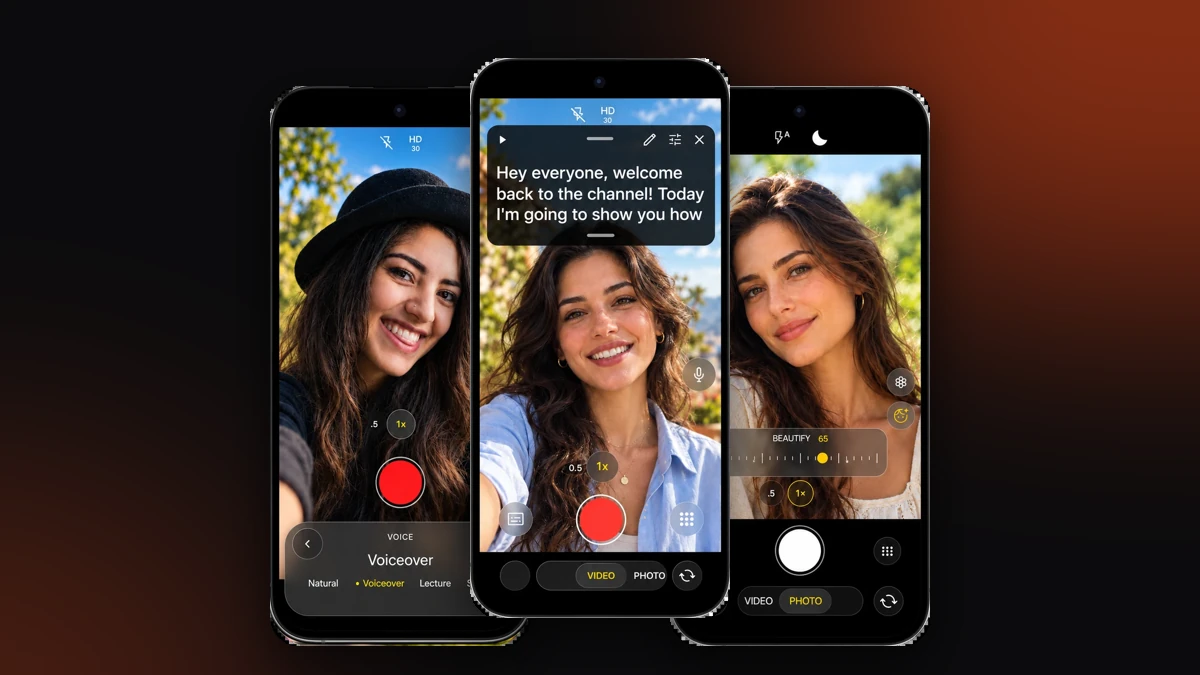
Most people judge a talking-head video by its sound before its picture. Viewers forgive soft video far sooner than a noisy room or an echo. iShot is a camera app for creators built around that idea: studio-clean voice, a teleprompter by the lens and natural-looking Beautify, so a take is ready for Reels and Shorts straight from the phone. This guide explains what it offers and how the workflow runs.
What iShot is
iShot is a camera app for people who film themselves: educators, founders, coaches, reviewers and anyone making short vertical video. It combines the camera, the sound and the script in one app, so you do not need separate tools or an external microphone to get a usable result.
It is free to download, needs no account and keeps your videos, photos and scripts on your phone. At the time of writing, it is listed as coming soon to Google Play and later to the App Store, with a beta available by request on the iShot website.
Studio-clean voice
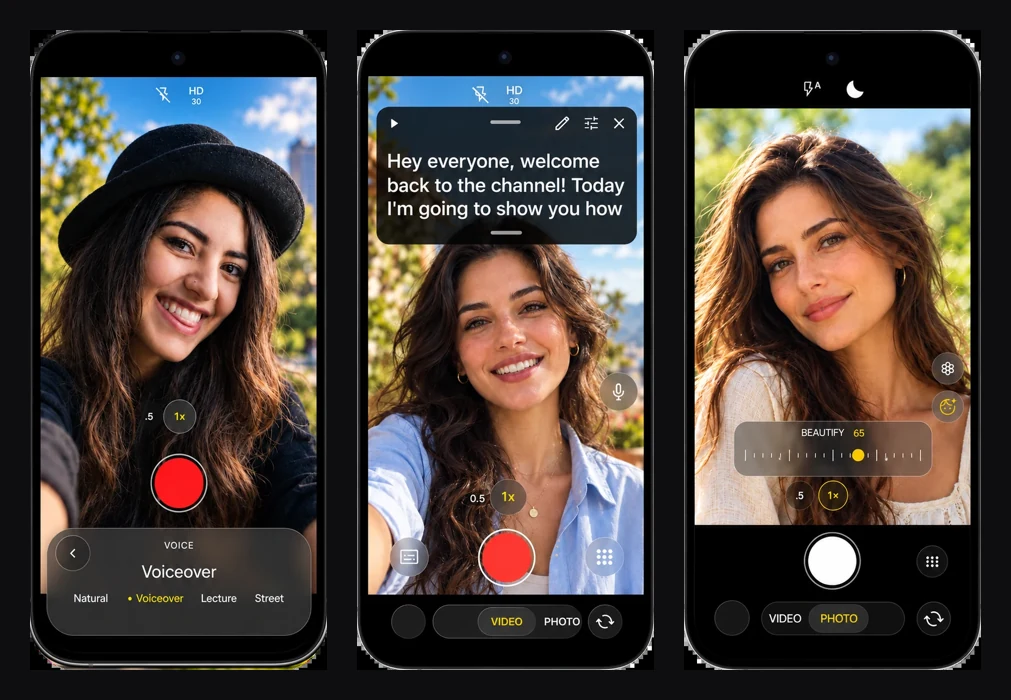
Noise suppression runs on the phone while you record. Background sounds such as fans, traffic and room echo are turned down while your voice is kept. You can pick a voice preset and choose the microphone that sounds best on your device.
Because the processing happens as you record, you hear and fix problems while filming rather than discovering them during editing.
Teleprompter on camera
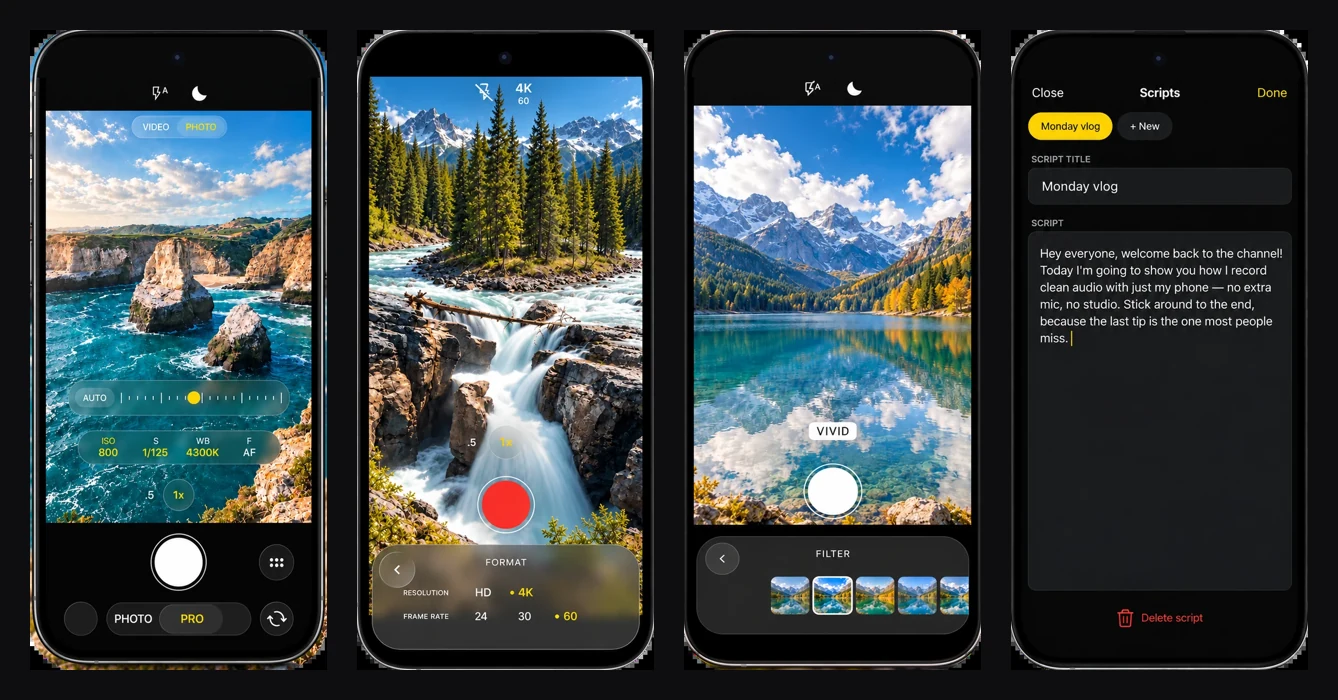
The script sits just under the lens, which helps you keep eye contact with the camera. It can scroll at your chosen speed or follow your voice, and your scripts are saved for next time.
- Paste or type a script once and reuse it
- Read naturally while looking close to the lens
- Adjust the scroll speed to your pace
- Keep a library of saved scripts
Natural Beautify
Beautify applies live skin smoothing to faces only. Eyes, hair and glasses stay sharp, and you can see the result before you record. The aim is a polished but believable look instead of an overprocessed one.
Pro controls, resolution and filters
For creators who want more control, iShot offers manual ISO, shutter speed, white balance and focus, along with photos at the camera’s full resolution. It supports the resolutions and frame rates your phone’s camera can record, including 4K and 60 FPS, with stabilisation and HDR video on phones that support it.
Free looks for photos and video appear live in the preview, so what you see is what you record.
From script to post in four steps
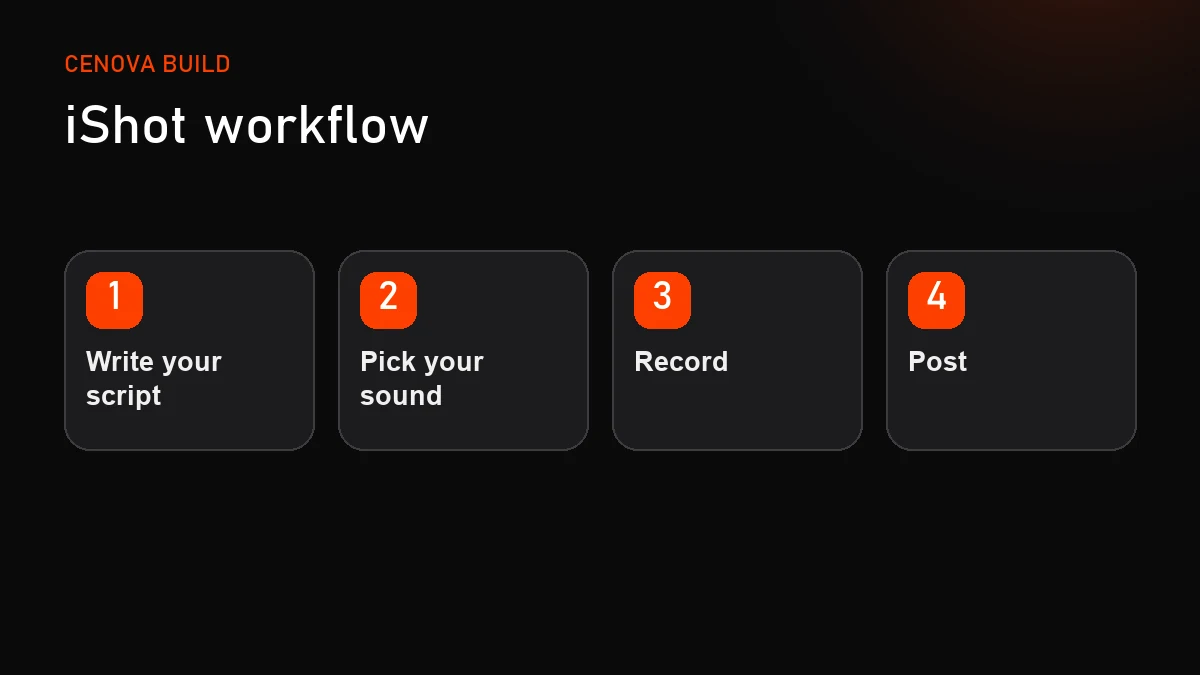
The workflow is simple: write or paste your script into the teleprompter, pick your sound preset and microphone, record while reading from the prompter, then post from your gallery.
Because noise removal and Beautify run on the device, there is no upload step before you can use the take.
Free and Pro, privacy and compatibility
Recording in every format, filters, styles, Beautify and Portrait are free. iShot Pro adds the on-camera teleprompter, studio voice presets and Pro controls. Features such as 4K, 60 FPS, HDR and extra lenses depend on what your phone’s camera supports, and iShot shows only what your phone can do. It works on Android 10 and newer.
Privacy is a core design choice: recording, noise suppression and Beautify all happen on the device, with no account and no upload.
Tips for better talking-head videos
Good tools help, but a few habits make a bigger difference. Record in a quiet room where you can, hold or mount the phone at eye level, and place a light source in front of you rather than behind.
Rehearse your script once aloud, keep sentences short and pause between ideas so edits are easy. Check the level meter before you start and record a short test, so you know the sound and the framing are right before the full take.
Who it suits
iShot suits creators who film alone, record often and want better sound without extra equipment. If you mostly shoot cinematic footage with a dedicated camera, a phone app is a complement rather than a replacement.
Because the app is still launching, check the official website for current availability, features and pricing before you decide.
You can try it or read more at iShot.
Are you planning an app of your own? Our app development team can help you scope, design and build it.
Related reading: Build a Social Content Plan with a Clear Purpose · WebMockup: A Free Website Mockup and Responsive Preview Tool
Frequently asked questions
Is iShot free?
Recording in every format, filters, styles, Beautify and Portrait are free. iShot Pro adds the on-camera teleprompter, studio voice presets and Pro controls.
Does iShot upload my videos?
No. Recording, noise suppression and Beautify all happen on your phone, and no account is needed.
Do I need an external microphone?
No. iShot cleans the sound of your phone’s own microphones, and you can choose the one that sounds best.
Which phones does iShot work on?
Android 10 and newer. Features such as 4K, 60 FPS and HDR depend on what your phone’s camera supports.
When can I download iShot?
It is coming soon to Google Play and later to the App Store. Check the official website for the latest status and beta information.
